
When WiFiMaster 2.0 shipped, it was designed for iPhone but “ran fine” on iPad. (It felt like a big phone, but it worked.) The app also ran on Mac and Apple Vision Pro on day one, technically. Both ran the “Designed for iPad” build: a giant tablet-shaped iPhone app in a window, pretending.
The whole pitch of Rimrock is native craft, yet here I was shipping the exact thing I hate, on two platforms at once. That state of affairs lasted less than 2 weeks.
Today version 2.1 was approved. The Mac version is a real Mac app now, with a proper menu, keyboard shortcuts, a menu-bar extra to run a scan/speedtest without opening the window, inspectors, export, and undo. It behaves like Mac software because it finally is Mac software. There’s still a lot of work here (I’m looking at you, iCloud Sync) but it’s not an oversized phone inside a tablet inside a Mac anymore.
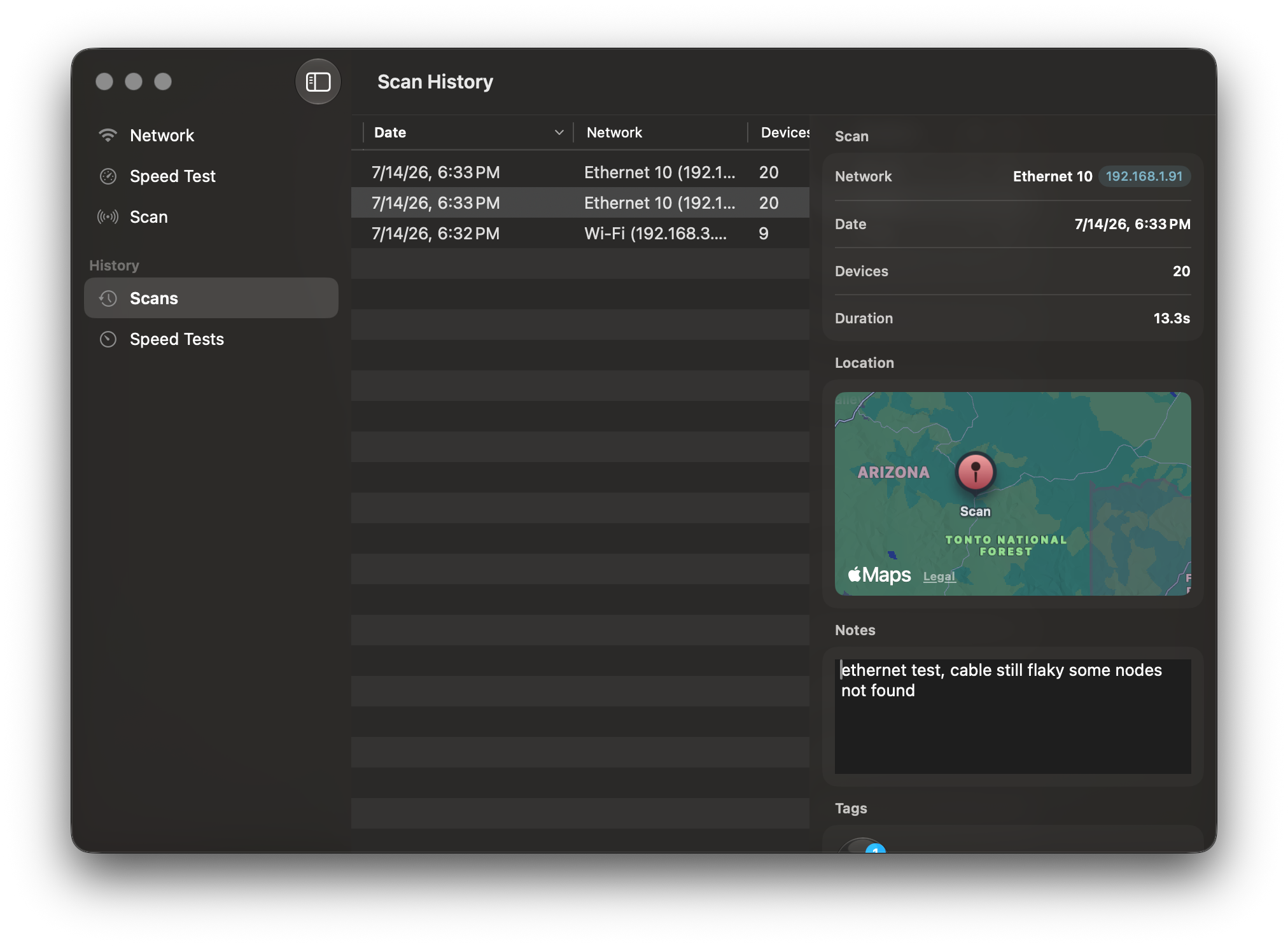 Speed test history, in a real Mac window.
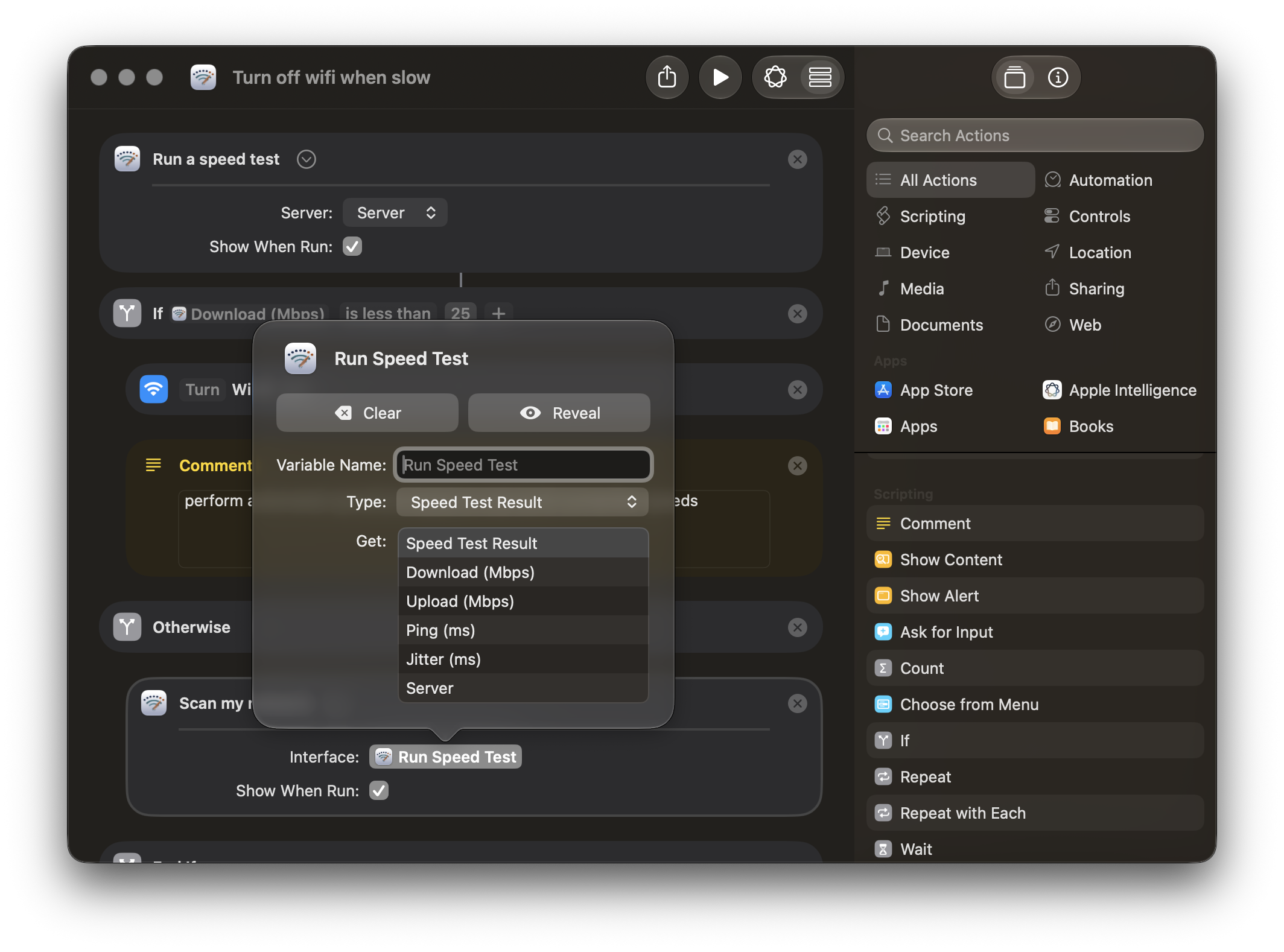 Shortcuts support: run a speed test or a scan from any automation, with Download, Upload, Ping, and Jitter as typed variables.
The Vision Pro version is now a native visionOS app no moreiPad compatibility mode. It supports native charms and the translucency that makes it feel at home in the headset. 1
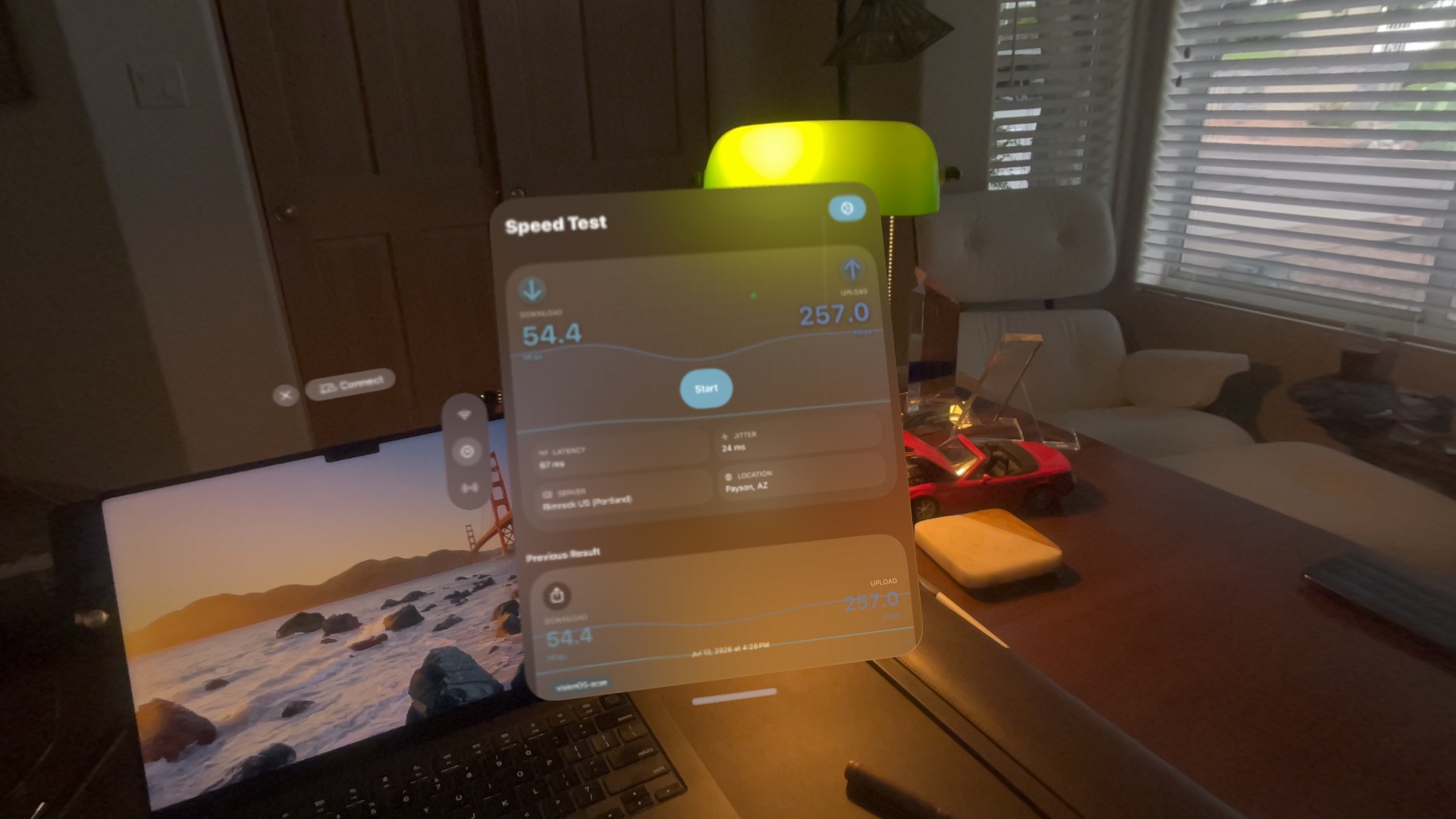 WiFiMaster 2.1, running natively on Apple Vision Pro.
I also spent some time on the iPad version. I did this one last, by design. With the iPhone version baked, and the full-featured Mac version in place, iPad had permission to find the happy balance that better fits its form factor.
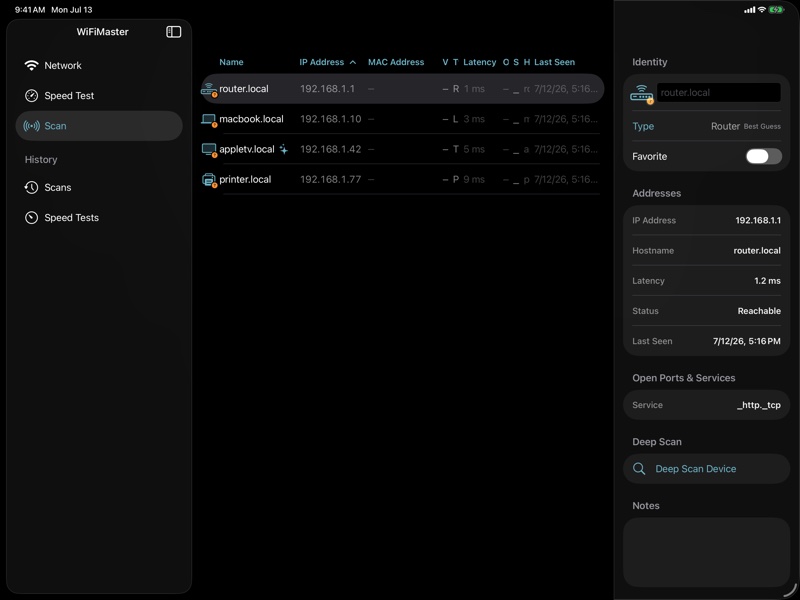 The rebuilt iPad layout.
My thinking, if you care about process: port to the hardest surface first. The Mac is the least forgiving of the three, so I built there, tried to learn what the design actually wanted, and pushed those lessons back down to iPad and iPhone. (And it gave me a huge backlog of ideas for future versions, including a rebrand.)
The Uncomfortable Part
I mentioned in the 2.0 release post that the app was an acquisition, and my first task was removing third-party trackers and shipping a ground-up rewrite that doesn’t phone home to data brokers. Changing the pricing model was supposed to be part of 2.0 too. By my mistake it wasn’t, so it ships now.
I’m not going to sugar-coat it… the app was borderline scammy. It was pushing users to an absurdly expensive weekly subscription with a free trial, in hopes it could collect rent on those that forgot to cancel. That ends today.
Now the app is a ~$10 one-time purchase, or if you prefer, a $2/mo subscription. That $10 is less than 2 weeks of the previous weekly price, but it’s more representative of the app’s functionality.
Also, instead of a paywall at the beginning of the app, I want to make this a genuinely useful free app. The only thing that is blocked in the free version is speed tests against Rimrock private servers because that costs me actual money. Free users get 3 private speed tests a week, but can run as many as they want against public servers. (Public servers are less reliable and collect logs. My servers only hold 72 hours of logs, and even those are anonymized… and they are reliable.)
With 2.1 the transition from acquired app to Rimrock product is almost complete. This is a product I can stand behind and continue to improve on, with better pricing model.
-
I’ve tested on an M2 and M5 Vision Pro, and can’t tell the difference. M2 is the Vision Pro test target going forward. M5 is too fast for performance testing. ↩