
Nerd Font Installer 1.0 is available in the App Store today, for Apple Vision Pro. It’s a free download, and free to install one font (which is all most users need.) A one-time purchase of ~$41 unlocks a few dozen fonts forever.
That's the whole announcement. The rest of this is why it took so long.
Scratching an itch
I’ve been into selecting just the right monospace terminal/text editor font for a while now.2 Nerd Font Installer is technically my first visionOS app even though it’s my second released. It pre-dates the WiFiMaster acquisition. So WiFiMaster is not only available, but the 2.0 Rimrock rewrite and a couple point releases shipped before Nerd Font Installer (which I’ll call NFI for short) was in the store, so what gives?
One of the first things I do when I install a new laptop or device is download my favorite terminal fonts from the Nerd Fonts repo so I can SSH and edit text files with my usual fonts and all the glyphs/ligatures I’m used to. Doing this on the Vision Pro is comically difficult, and most of the apps in the iOS app store are based on the super creepy “Profiles” installation method. The charitable way to describe that is “it’s not exercising the principle of least privilege.” The less kind description is “you are handing your device’s keys to a random developer whose sole credential is a $99 Apple developer account.”3
This wasn’t entirely the developers’ collective faults, Apple didn’t provide a reasonable font installation API until iOS 26 (this isn’t a problem on the Mac.) However, for some reason, font pack developers have been slow to adopt the new API that doesn’t allow them to p0wn your device. I wonder why. 🤔
When the fonts API first launched at WWDC 2025, I coded up a trivial iOS and visionOS app just for myself to install my standard Nerd Font set. It worked perfectly, took maybe a few hours total (it’s basically hello world plus 3 API calls) but that installs the same 3 fonts across all my devices, with no worries about UI, licenses, testing, etc.
Now I’m releasing it to bridge the gap between WiFiMaster 2.0 and the upcoming release of Reeve for TrueNAS this fall.
The detour
Since I retired, I’d been thinking about writing the terminal app I wanted to use on Vision Pro. The project was codenamed “Cyberdeck” (I about to do a trademark search for the possible name “Neodeck”) and I really enjoyed using early alphas. It used Miguel de Icaza’s well-designed SwiftTerm library, so all the SSH/TTY heavy lifting was done for me, and I could focus on creating a cool cyberpunk-themed environment4 for late night hacking sessions with a dozen terminals open on Vision Pro. 🤓
Then Panic made the excellent Prompt 3 I already used on iPhone and iPad available as a native Vision Pro app. Prompt 3.5 on visionOS was everything Cyberdeck was supposed to be and more, right down to the cyberpunk-themed environment when you want to jack-in. There was no more itch, so Cyberdeck died immediately. (I’m sure both of the other Vision Pro users who spend most of their time in a terminal would have loved it.)
To be clear: this is a happy ending. I would much rather use Panic’s obsessively built terminal than maintain my own, it’s not close. I knew Cyberdeck had no chance of making real money before Panic announced Prompt would come to Vision Pro. I was building it because I wanted it to exist. Cyberdeck/Neodeck died the ultimate death: obsoleted by somebody doing the job better, before I’d shipped a line.
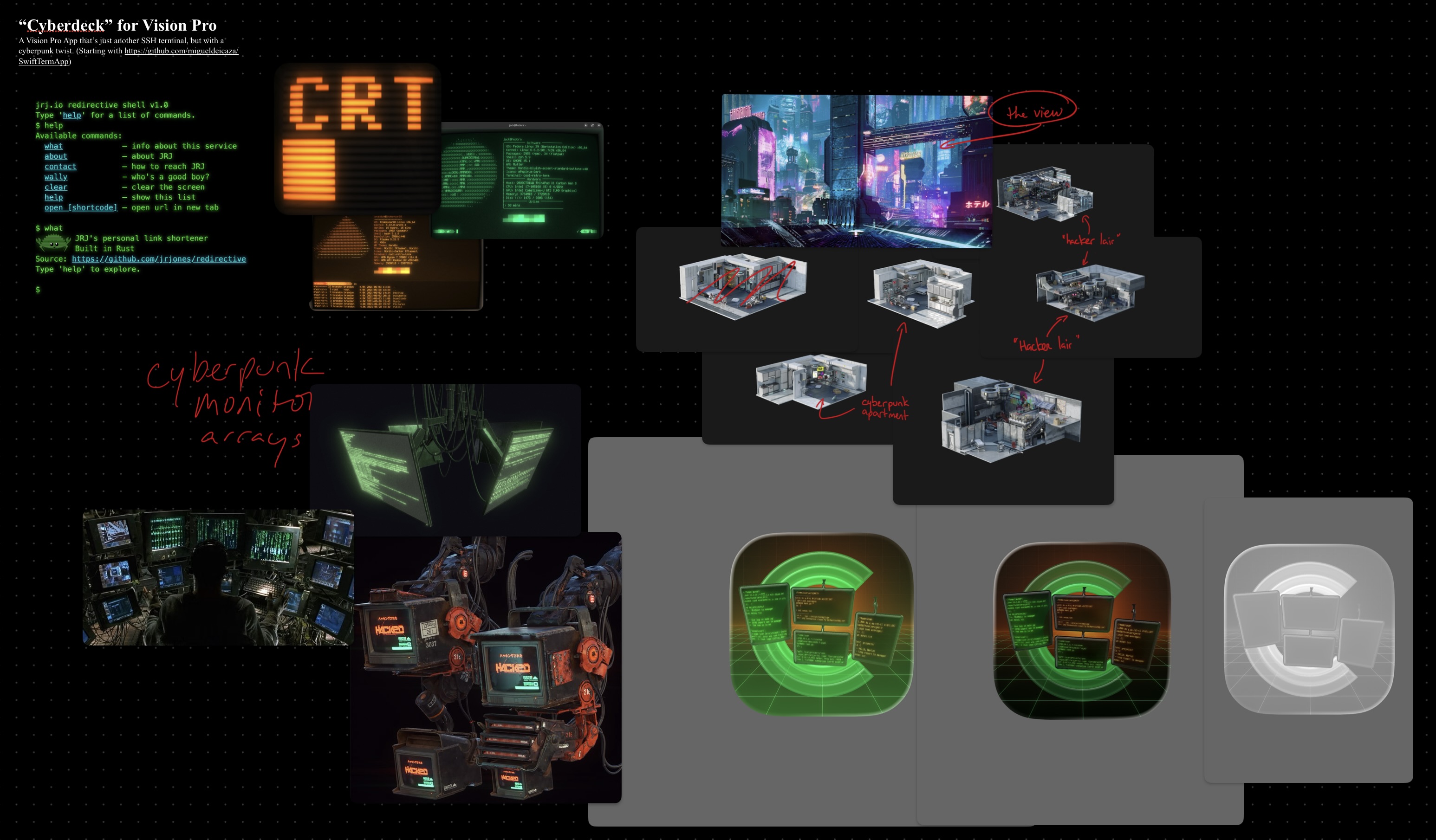
Early Cyberdeck “mood board” from Freeform.app
But I still needed fonts
Panic Prompt 3.5 existed for Vision Pro, but Panic Sans still has no extra glyph sets. My terminal was a sea of little boxes taunting me about the font’s lack of unicode nerdistry.
Powerline arrows, the icon sets, all the glyphs my prompt has assumed for years: those live in a patched font file that has to get installed on the device, system-wide, before any terminal can pick it.
So the terminal problem got solved for me and the font problem didn’t. It just moved.
So it sat there
NFI sat there. I used it whenever I would set up a new device. For over a year this was a personal utility with one user, built before WiFiMaster, which means it predates most of what Rimrock is now. It worked. It just wasn’t anything you could hand to a stranger.
Eventually I rewrote it as something browsable, and therefore submittable. That’s the difference between a tool and an app: a tool knows which fonts you want. An app lets you browse and see fonts in their natural habitat, and has done the due diligence to ensure the right licenses are in place.
Why Vision Pro first
Vision Pro gives me a chance to get early feedback and work out the kinks before opening the iPhone and iPad floodgates.5 (It’s also the platform the app was originally designed for.)
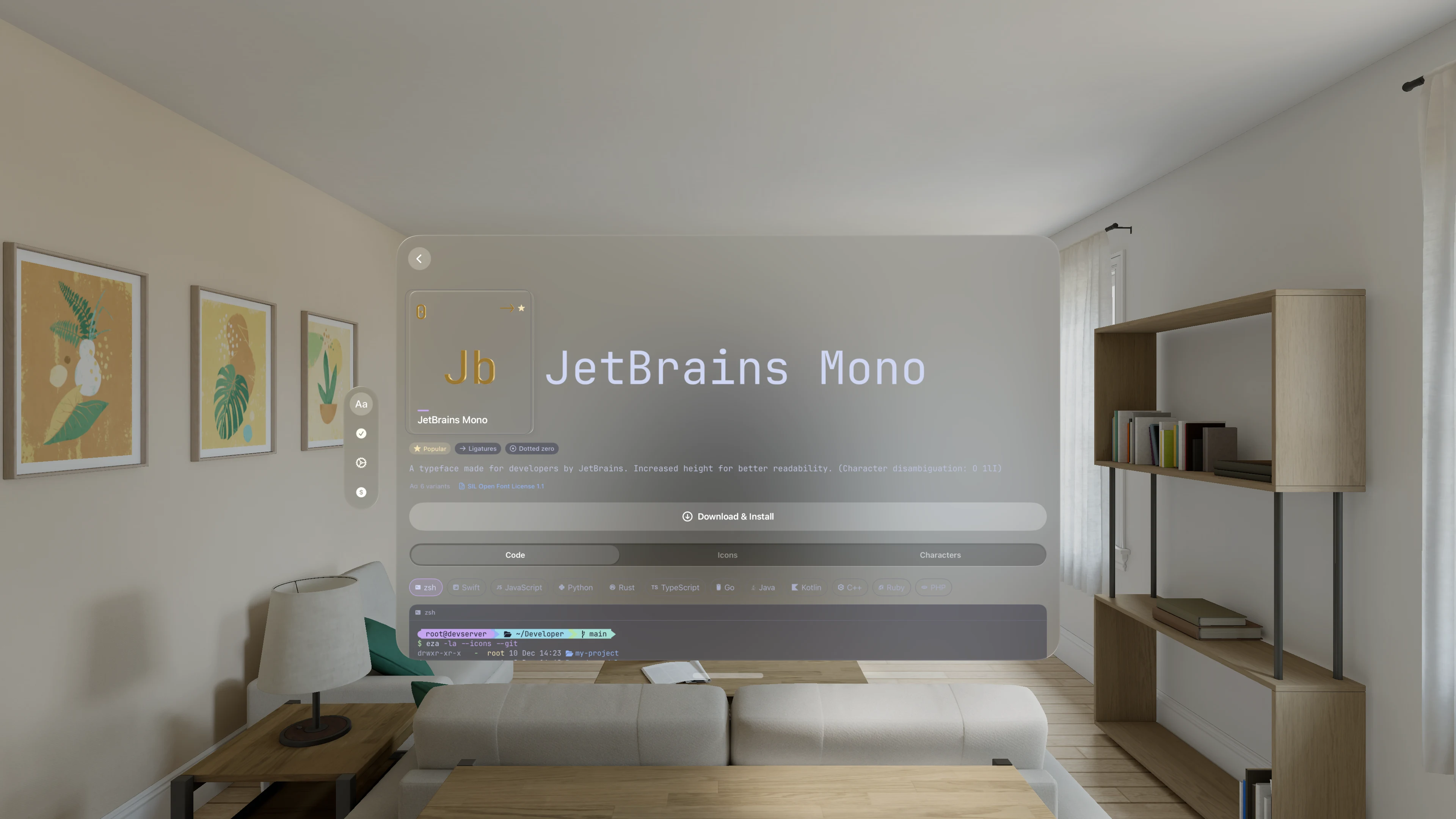
It is genuinely fun to lean in and inspect fine details and complex font geometry in 3D, but it adds little. (I had to ship vector outlines to render the zeros, ligatures, and “periodic table” characters without installing the fonts, so extruded versions were easy and felt more like they belonged.) Having spent thousands of hours in various Quest generations, the Vision Pro is just beautiful graphically.
What it does, briefly
Browse the catalog. Preview the real glyphs, live, in the actual font: ligatures, Powerline segments, the icon sets. Sample console output and various syntax-highlighted code samples so you can see how the nerd fonts will look where it counts. Install through the consent sheet the system draws itself, which means nothing lands on your device without you approving it by name, and removing it is just as direct.
Screen recording from the device: browsing the catalog, inspecting Recursive Mono, and the system consent sheet at the end. No audio.
No account. No analytics. Your data never leaves your device. (As usual.)
Much of the hard work is already done by the maintainers of the Nerd Fonts open source project. They tirelessly maintain all the open source fonts, packed with the right glyphs, as well as the packer tool that’s used to add them. It’s a wonderful project. I made sure all the licenses were validated back to the original source repos before including them in the app.
What’s next
This is a soft launch, on one platform. It’s been in the world for a few hours, and I’d like to hear what breaks before it’s on three.
If you run a terminal on Vision Pro, install it, install a font, and tell me whether the font showed up where you expected it. That’s the whole test. The part I can’t fully predict is the last mile, where your particular terminal app decides what to call the family in its own font picker.
iOS is next, and will probably accompany the first bug fix. Not in a hurry, probably before the end of the summer. Let me know if you want on the TestFlight for iOS.
-
Technically $3.99 USD but varies a bit from country to country. Priced to roughly cover a double espresso at Noley’s and subject to change accordingly. ↩
-
I found this post from over 2 decades ago without even trying, I think there are others. I’m nothing if not consistent. ↩
-
Craig Hockenberry explained this best when he released the excellent FontCase and here’s a good roundup post. ↩
-
I was building the environment based on some gorgeous assets from KitBash 3D that would have looked familiar to gamers but not most VisionOS users. This stuff looks AMAZING on the Vision Pro, but Panic’s custom built environment is even better. ↩
-
“Floodgates” is a joke. I expect to measure installs in the low 4 digits, and annual revenue that’s even lower. ↩